
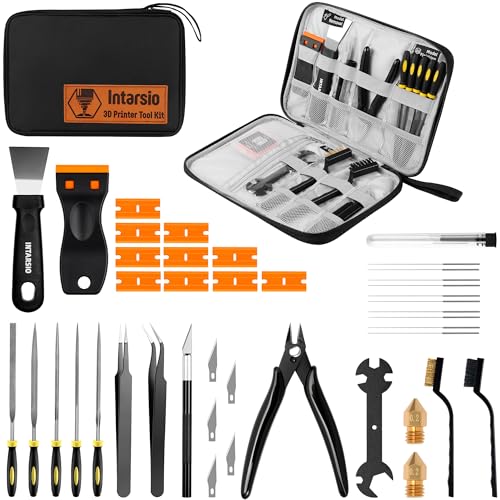
- Four checks resolve most adhesion failures: a clean bed, a level bed, a correct Z-offset, and the right temperature, in that order.
- A bed that looks clean can still have enough finger oil on it to cause a first layer to lift; wipe it with isopropyl alcohol before every print, not just when it fails.
- Rapid cooling on the first layers causes thermal shock, which can pull a print loose even on a clean, level bed.
- An auto-leveling printer still needs a manual Z-offset check; auto-leveling maps the bed's surface, it doesn't set how close the nozzle sits to it.
A first print not sticking to the bed is almost always one of four things, and checking them in order resolves the large majority of cases: a dirty bed, a bad Z-offset, poor leveling, or the wrong temperature.
Check 1: is the bed actually clean?
A bed that looks clean can still carry enough finger oil, dust or leftover residue from a previous print to weaken adhesion. Wipe the build surface with isopropyl alcohol before every print, not only after one fails. This is the single most repeated first step across independent troubleshooting guides, and by itself it resolves a large share of adhesion problems.
Check 2: is the Z-offset correct?
Auto-leveling on a modern printer maps how the bed’s surface varies across its area; it does not set how close the nozzle sits to the bed when a print starts. A nozzle set too high leaves the first layer of filament resting on top of the bed rather than pressed into it, and it lifts easily. Run the printer’s Z-offset or first-layer calibration routine, not just its auto-leveling routine, before assuming the bed itself is the problem.
Check 3: is the bed actually level?
Even a small tilt from one side of the bed to the other changes how well the first layer adheres across the print. If Checks 1 and 2 don’t fix it, re-run a full manual or assisted bed-leveling pass rather than trusting a single auto-level result, especially on a printer that’s been moved or bumped recently.
Check 4: temperature and cooling
Bed temperature that’s too low for the filament, a first layer printed too fast, or the part-cooling fan running at full speed on the first few layers can all still cause lift-off even on a clean, level bed with a good Z-offset. Rapid cooling on those first layers causes thermal shock, which maximizes shrinkage and stress exactly where the print needs to bond. Slow the first-layer speed down and keep the fan off or low until a few layers have printed.
If all four check out and it still won’t stick
A light layer of glue stick, hairspray or blue painter’s tape gives the first layer extra grip, especially on a smooth glass bed, and it’s a standard fix rather than a sign the printer is broken. This is a reasonable next step once the four checks above are ruled out, not a substitute for them.
Which related guides help next
- First-hour checklist before your first 3D print
- PLA vs PETG vs TPU: which filament should a beginner start with
- 3D printer first-year cost: filament, nozzles, dryer
Bed-adhesion questions
What's the single most common cause of a print not sticking?
A dirty bed. Finger oils, dust and leftover residue from a previous print can reduce grip even when the bed looks clean, and troubleshooting guides consistently name it as the most common cause. Wipe the bed with isopropyl alcohol before every print, not only when a print fails.
My printer auto-levels. Why would it still fail to stick?
Auto-leveling maps the bed's surface height variations; it does not set the Z-offset, which is how close the nozzle sits to the bed at the start of a print. A nozzle set too high leaves filament sitting on top of the bed instead of pressed into it, which weakens the bond regardless of how well the bed was mapped.
Does a glue stick or hairspray actually help?
Yes, especially on a smooth glass bed. A light layer of glue stick, hairspray or painter's tape gives the first layer something to grip beyond the bare bed surface, and troubleshooting guides list it as a standard fix, not a workaround for a broken printer.
Could the fan be the problem?
Yes. Rapid cooling on the first few layers causes thermal shock, which maximizes shrinkage and stress right where the print needs to bond most. Keeping the part-cooling fan off or low for the first several layers lets the bond set before cooling begins.
Sources we checked
- Multiple 3D-printing troubleshooting guides (Snapmaker, 3DSourced, Wevolver, JLC3DP, BCN3D), cross-checked. Source for the four-cause pattern (dirty bed, Z-offset, leveling, temperature) and the 'clean, level, Z-offset' order that resolves most cases.Independent · snapmaker.com · checked
- Wevolver: '3D Print Not Sticking to Bed? 8 Ways to fix 3D Printer Bed Adhesion'. Cross-checked for the same four-cause pattern: it lists bed temperature and build-plate state first, then 'Method #2: Change the Z-Offset' ('the distance between the 3D printer nozzle and the build platform ... may also be causing adhesion problems'), and cleaning with 'Isopropyl alcohol (IPA) or acetone'.Independent · wevolver.com · checked
- Amazon: intarsio 34-Piece Tool Kit listing (ASIN B0F389YZT2), re-verified in stock from Amazon's product data. Source for this page's scraper pick, its price and its image.Retailer listing · amazon.com · checked