
- Record the serial number and firmware version before binding the printer to any maker account, so there's a record if a warranty or recall question comes up later.
- Watch the first layer of the first print in person rather than walking away; a bad first layer is the easiest failure to catch early and the hardest to fix after the fact.
- Dry the filament before the first print if it's been opened and sitting out, since damp filament is one of the most repeated first-week complaints across owner reports on this site.
- Wait roughly 20 minutes after a print finishes before opening an enclosure, per NIOSH's clearance-time guidance, so particles and gases have time to clear.
A first 3D printer’s first hour sets up everything after it. This checklist consolidates the first-hour steps already sourced across this site’s individual printer comparisons into one list.
Before the first print
- Record the printer’s serial number and current firmware version before binding it to any maker account or app, in case a warranty or recall question comes up later.
- Run the printer’s built-in auto-calibration or bed-leveling routine once before loading filament, per the maker’s own setup guide.
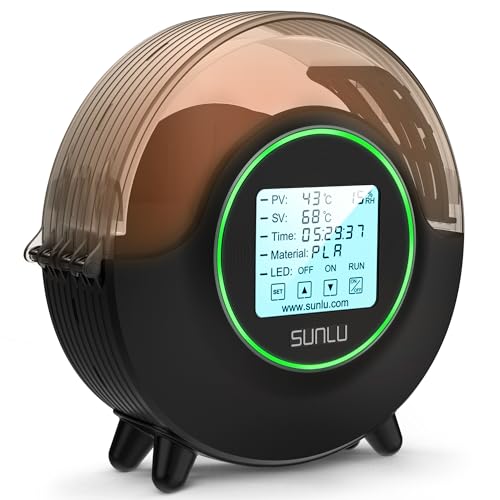
- Check that filament that’s been opened and sitting out isn’t damp before loading it; dry filament for high-humidity plastics like PETG or TPU before the first print rather than after a failure.
- Print the manufacturer’s own test file first, not a personal design, so a failure points at printer setup rather than the file.
- If the printer requires binding to a cloud account, do it only after confirming you’re comfortable with the maker’s stated firmware and data terms, not as an unread step to get through.
During the first print
- Watch the first layer in person rather than walking away. A bad first layer is the easiest failure to catch early and the hardest to diagnose after a multi-hour print has already failed.
- Note any unusual smell during the print. A strong smell through a closed, filtered enclosure suggests the filter isn’t seated correctly, not that the smell is normal.
- If printing in an enclosure, leave it closed for the print’s full duration rather than checking on it partway, since that’s how the maker’s filtration claim is meant to work.
After the first print
- Wait roughly 20 minutes before opening an enclosure, per NIOSH’s clearance-time guidance for makerspaces and schools, so particles and gases have time to settle or clear through filtration.
- Save the order confirmation, box contents and any assembly photos immediately; most warranty and RMA processes ask for this documentation later, and it’s easiest to gather right after unboxing.
Which related guides help next
- Why won’t my first 3D print stick to the bed, and how do I fix it
- PLA vs PETG vs TPU: which filament should a beginner start with
- 3D printer warranty, support and replacement parts, compared
First-hour questions
Do I need to register the printer right away?
Wait until the first print succeeds before registering, so the warranty or registration date doesn't start before the unit is confirmed working. Do write down the serial number and firmware version immediately, before any account binding.
Should I run a test print that came with the printer, or my own file?
The manufacturer's own test file first. It's calibrated for that printer's known-good settings, so a failure points at setup rather than the file. Save a personal design for after a first successful print confirms the printer itself is working.
How long should I stay and watch it print?
At minimum, through the first layer. That's the point where most bed-adhesion and leveling problems show up, and it's far easier to stop and fix than to discover after a multi-hour print has failed.
Sources we checked
- NIOSH Pub. 2024-103, 'Approaches to Safe 3D Printing.' Source for the roughly 20-minute clearance-time guidance before opening an enclosure.Regulator · doi.org · checked
- This site's own comparison pages (Bambu A1 mini vs A1 vs P1S, 3D printer warranty and support comparison, filament dryer comparison), each carrying a sourced first-hour-checks section this guide consolidates.Independent · firstprintcheck.com · checked
- Amazon: SUNLU S2 Filament Dryer listing (ASIN B0FDGKM7S1), re-verified in stock via Amazon product data. Source for this page's first-hour dryer pick, its price and its image.Retailer listing · amazon.com · checked